Shine Online and Mobile Banking
Do More With Your Money—Anytime, Anywhere
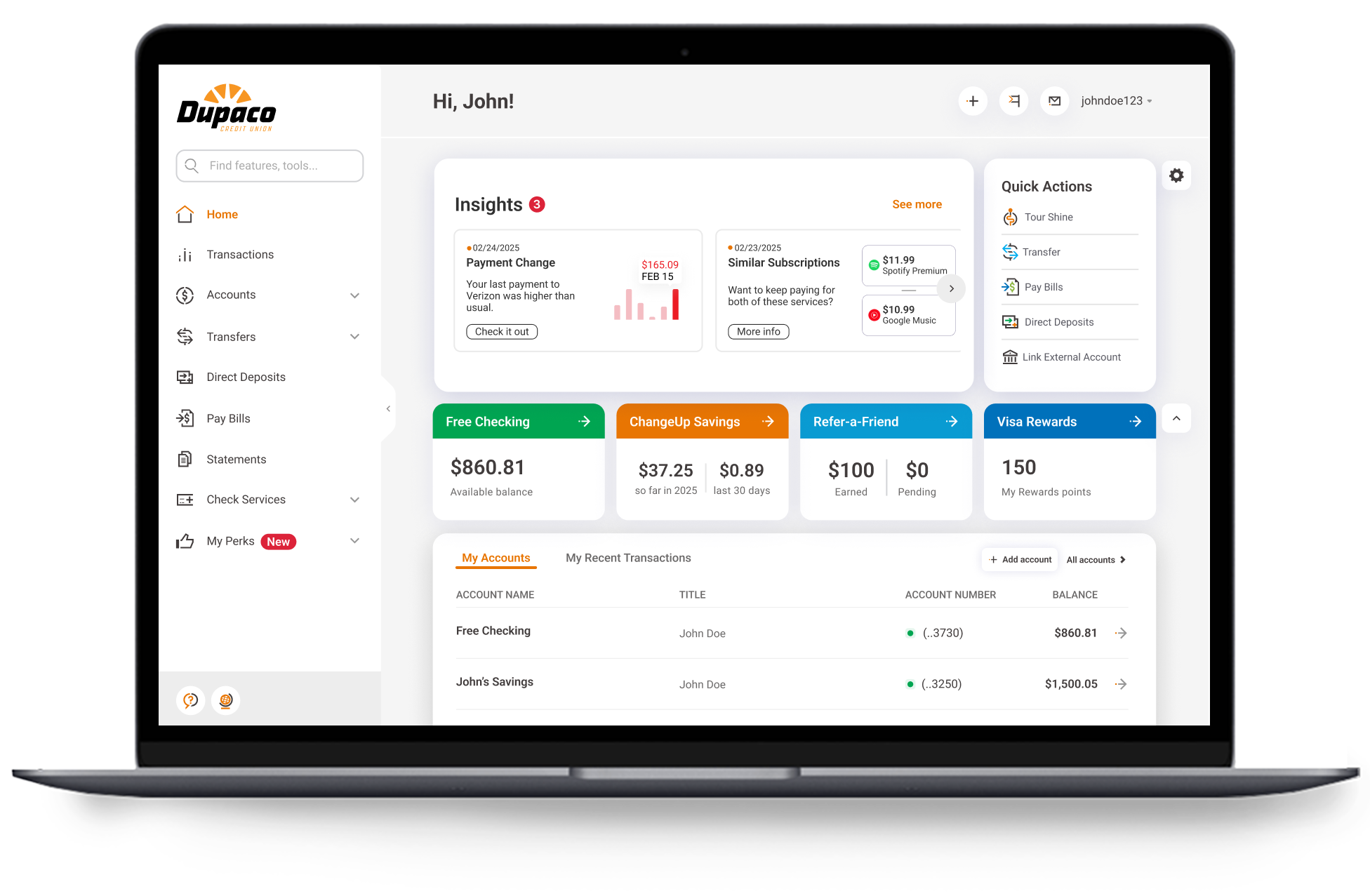
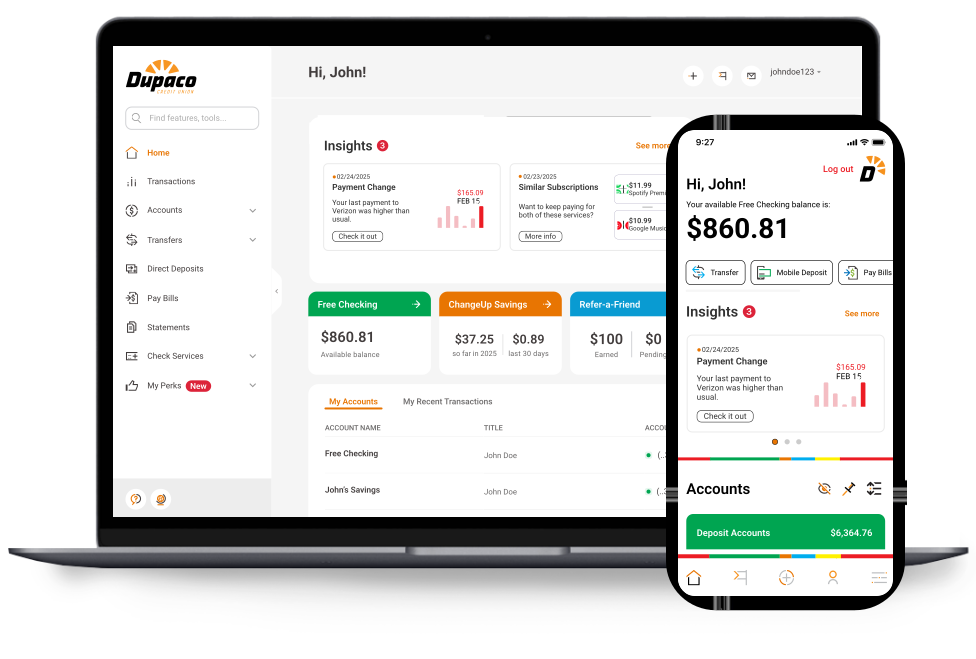
Pay bills, save for goals, track your credit and spot sneaky subscriptions—all in Dupaco’s free Shine Online and Mobile Banking. With personalized insights from Bright Track Financial Wellness Hub built right in, it’s like having a money coach in your pocket—getting smarter every time you use your Dupaco accounts!
Pro tip: Using a Dupaco checking account unlocks the most personalized insights!
Check balances and statements
See your account balances, view recent activity and download your statements anytime.
Track subscriptions easily
Spot forgotten subscriptions (like old free trials) linked to your Dupaco accounts and cancel them in a few easy taps.
Understand your spending
See your trends, get alerted when things change and get tips to help you spend even smarter with your Dupaco accounts.
Categorize your transactions
We’ll organize your spending—dining, groceries and more—so you see where your money goes.
Monitor your credit
Track your credit and get personalized tips to help build and protect your score over time.
See direct deposits
Easily check past and upcoming direct deposits so you know when money’s coming in.
“Such a convenient way to get the full picture of my spending habits. AWESOME!!!”
Want even smarter insights?
-
View upcoming bills: See upcoming bills, payments and paydays all in one easy calendar view.
-
Pay your way: Snap a photo of your bill, schedule it ahead or set up auto-pay straight from your checking account.
-
Get reminders: Get a heads-up when manual payments are coming due soon.
-
Spot changes: Get alerted when recurring bills are higher or lower than usual.
“I love the reminder that bills are due and I can see how much I paid this year vs. last year.”
Start a savings goal
Set your target amount and date for your Savings Goal, and we’ll help you plan how to get there.
Round up purchases
Use ChangeUp Savings to round your debit card purchases up to the next dollar and save your “change.”
Create custom accounts
Open You-Name-It Savings accounts to organize what you’re saving for—travel, holidays, you name it.
Automate your transfers
Set up recurring transfers within Shine to grow your savings in the background, without extra effort.
Spot ways to save
We’ll keep an eye on your Dupaco accounts to help you find opportunities to save more.
Track your budget
Set monthly spending limits for your Dupaco checking, track your progress and celebrate your wins.
“I really want to save for a down payment and this gives me hope. Thank you for noticing.”
-
Move money easily
Transfer between Shine accounts, pay others and add funds from your other bank accounts.
-
Deposit checks
Skip a trip to the branch—just snap photos of your checks with mobile deposit.
- Open new accounts
-
Customize your experience
Reorder your home screen to keep what you use most front and center. See how.
-
Quick actions and tools
Search features and actions, order checks or cancel one before it clears—all in Shine.
-
Find and connect
Locate branches, shared branches and ATMs—and use text banking to get quick account info.
Securely log on
Use Face ID or fingerprint login for quick, secure access to your Dupaco accounts in Shine.
Manage your password
Update your password, handle trusted devices and view your login history right in Shine.
Get instant alerts
Set up customized alerts with eNotifiers to track your account activity in real time.
Track refunds easily
We’ll let you know when a merchant refund hits your account—so you’re not left guessing.
Turn cards off and on
Lost your Dupaco card? Easily turn it off—or back on—to prevent others from using it.
Submit travel plans
Let us know you’re traveling to make sure your Dupaco card(s) work while you’re away.
“I appreciate when something that is out of the ordinary is checked on!”
Business Banking
Starting—and running—a business is a labor of love. Our online banking solutions can make things easier.
-
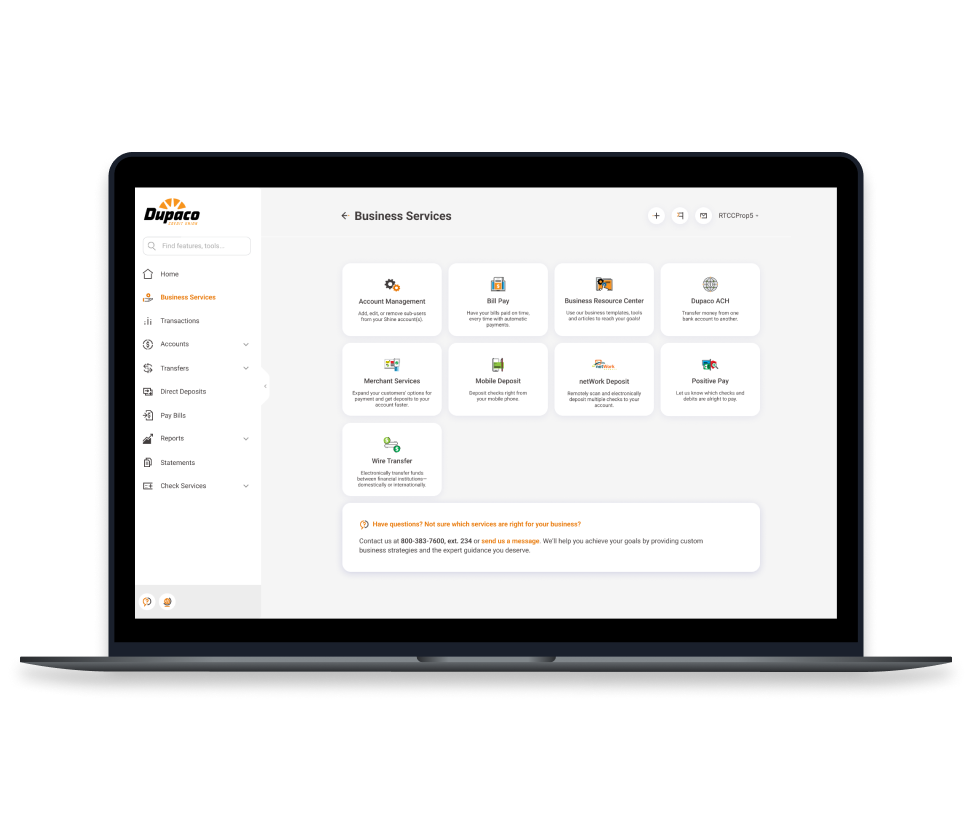
Delegate online account management duties with Shared Access. You can easily add, edit or remove sub-users from your Shine business account(s). Get started here.
-
Send money anywhere in the world with wire transfers.
-
Protect yourself against fraud with Positive Pay.
FAQs
Have questions? We have answers.
Our team of experts has answers to some of your most commonly asked questions. But if you’d rather talk to a human, you can give us a call at 800-373-7600. We can’t wait to talk!
-
How do I download Shine Mobile Banking?
You can download Shine Mobile Banking from your phone’s app store—just search for “Dupaco Mobile.” Once you’ve downloaded the app, log in with your Shine username and password, or enroll right from your phone.
-
What insights will I see in Bright Track Financial Wellness Hub?
You’ll see personalized insights like when your spending increases, your balance dips or you have opportunities to save more. It’s built right into your Shine account, so no extra setup is required. Just log in to Shine and tap “See more” on your insights carousel from your home screen.
The best part? The more you use a Dupaco checking account and cards, the smarter your insights become. You’ll start seeing tips that reflect your real spending habits to help you reach your goals faster.
-
How do I set up alerts or notifications within Shine?
You can create custom alerts—like low balance, deposit or sign-in notifications—in your eNotifier Alert Settings in Shine. Log in here to go straight to your Alert Settings and personalize yours!
-
How do I deposit a check with the Shine app?
Mobile deposit lets you skip the branch and deposit checks right from your mobile device. Just endorse your check, log in to the Shine app, tap “Mobile Deposit” from your Quick Actions and follow the prompts. Learn more here.
-
How do I pay bills using Shine?
You can pay bills one time or set them to repeat automatically—all from any device while logged in to Shine. Snap a photo of your bill, or add your payee manually. Either way, we’ll guide you through it step by step. Log in to Shine here to go straight to Bill Pay, or learn more about how it works here.
Hint: Paying bills from your Dupaco checking account helps your insights track real spending patterns, so you can see a clearer picture of your cash flow and get smarter alerts.
-
Can I open new accounts or apply for loans in Shine?
Yes! You can add checking or savings accounts, apply for loans and more—anytime, right in Shine. The more you use your Dupaco accounts, the more your insights can help you see spending trends, plan savings goals and make even smarter money decisions.
-
Can I use mobile payments like Apple Pay or Google Pay?
Definitely! You can add your Dupaco debit or credit cards to Apple Pay, Google Pay or Samsung Pay to pay from your phone. Learn how to set up mobile payments here.
Don’t forget: Mobile payments from your Dupaco cards are tracked in Shine and powering your insights to offer even smarter, personalized tips!